A DJ.Studio Alternative for Windows and Apple Silicon Macs
Reviewed 8 November 2026
Build your DJ mixes on a timeline, shape the transitions, try mashups, and export the finished set. If you would rather build a mix than record every transition live, DJ.Studio and MixTape are both worth a look, and they are not the same. Which suits you depends on your computer, your music library, what you export, and whether you want to try the whole process before paying.
MixTape is free during the beta. Access is by approval.
What both do
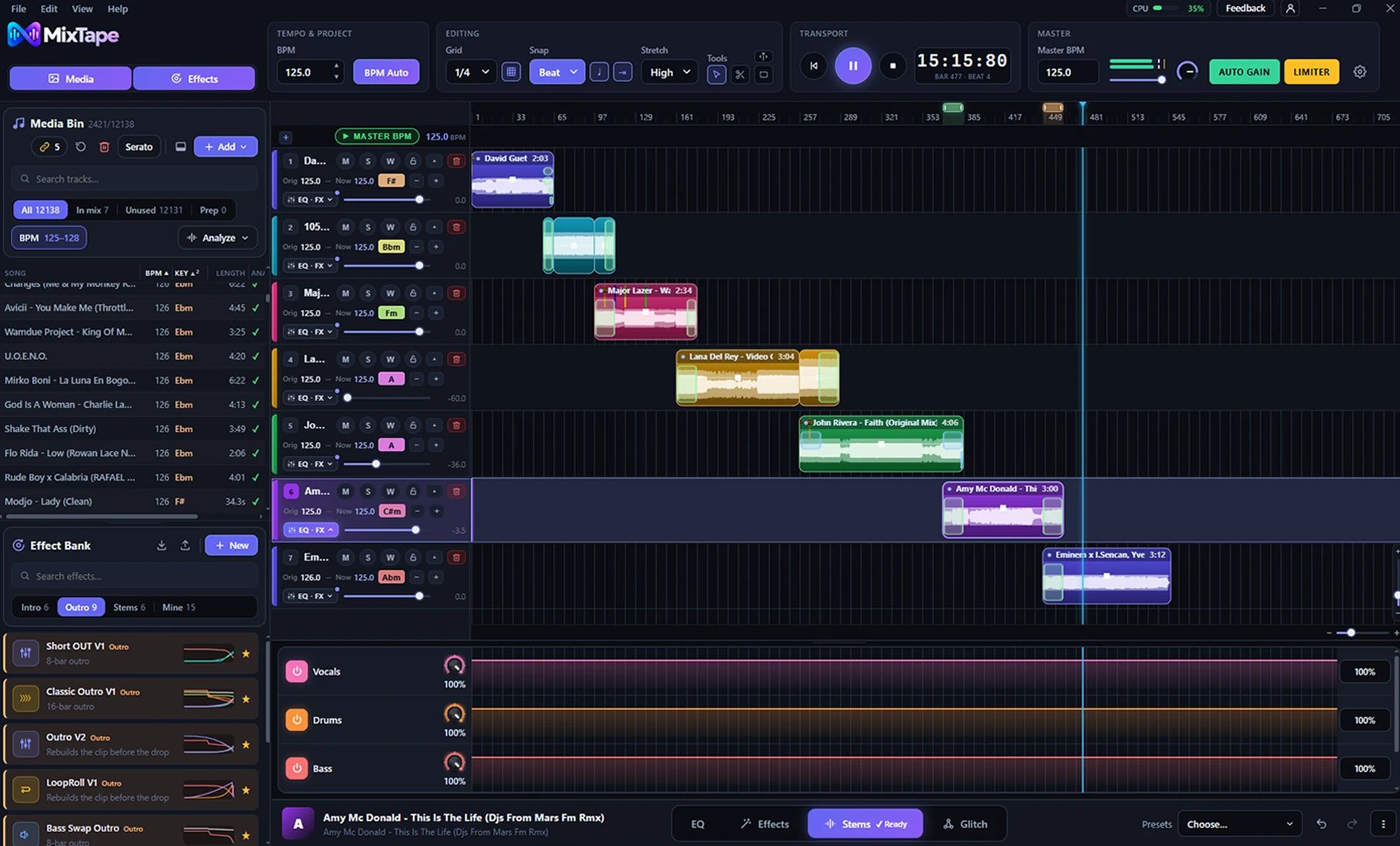
Most DJ software is built for playing live: decks, cue points, controllers, a crossfader. Timeline DJ software builds the mix instead: you lay it out, listen, change it, and export it when it is right. MixTape and DJ.Studio both work this way. Neither needs a controller; for the other ways to mix with only a laptop, see how to make a DJ mix without a controller.
- A whole mix on a timeline. Arrange the songs visually and change a transition without recording the set again.
- Transitions you can refine. Shape how songs come in and go out, and how the tempo moves between them.
- Stems and mashups. Split songs into stems and try combinations, such as one song’s vocals over another’s beat.
- A finished audio file. Export the mix to listen to, share or publish.
The difference is less whether a feature exists than how each app fits it into your work.
MixTape and DJ.Studio at a glance
| Feature | MixTape | DJ.Studio |
|---|---|---|
| Timeline DJ mixing | Yes | Yes |
| Windows | Windows 10 and 11, 64-bit | Windows 10 and 11 |
| Apple Silicon Macs | macOS 13 or later | Yes |
| Intel Macs | Not supported yet (planned) | Yes |
| Serato library | Yes, one-way import | Yes |
| Rekordbox library | Planned | Yes |
| MixMeister projects | Imports MixMeister 6 and 7 projects | Reads them |
| Stem separation | Included during the beta | Pro + Stems or Ultimate; also in the free trial |
| Audio export | MP3, WAV, FLAC | MP3, WAV, FLAC |
| Video export | Not offered | Ultimate license |
| Free access | Free during the beta, by approval | 7-day trial |
| Export while free | Yes, during the beta | Not during the trial |
Reviewed 8 November 2026, from DJ.Studio’s own pages: Billing, purchasing and licenses, Exporting mixes, Download and install, DJ software. Features, licenses and supported computers can change.
Trying each one
DJ.Studio has a 7-day trial with no card, which ends by itself and does not turn into a subscription. You can try mixing, but exporting a finished mix needs a license. DJ.Studio sells a monthly subscription and one-time licenses.
MixTape is free during its beta, export to MP3, WAV and FLAC included, for testers whose registration is approved. So you can take a mix from the first song to the finished file before you decide. What MixTape will cost after the beta is separate from the free beta.
When DJ.Studio may be the better fit
MixTape is not meant to replace DJ.Studio for everyone. If one of these matters to you, weigh it before switching.
- You use an Intel Mac. DJ.Studio has a version for Intel Macs. MixTape runs on Apple Silicon Macs with macOS 13 or later; Intel-based Macs are not supported yet, though support for them is planned.
- You need video export. DJ.Studio’s Ultimate license exports video. MixTape exports audio only.
- You rely on Rekordbox. DJ.Studio works with a Rekordbox library. In MixTape, Rekordbox support is planned but not available yet.
How a mix comes together in MixTape
Here is a simple two-song mix, step by step.
- Add your songs. Bring your music into MixTape and place the songs on the timeline in the order of your set: one view of the whole mix instead of two decks.
- Build the transition. Choose where the first song hands over to the second, and shape it with an Intro or Outro template or your own automation. Change it without recording the mix again.
- Set the tempo. A transition need not keep one BPM: try a gradual tempo ramp instead of a jump between two tempos, listen, and keep what works.
- Export. Save the mix as MP3, WAV or FLAC. During the beta, approved testers do this without a paid license.
In MixTape you can create your own effects, save them to reuse in any mix, and edit existing ones, instead of being limited to ready-made templates.
Watch the MixTape tutorial: your first DJ mix
Your Serato library comes with you
Years of crates in Serato should not have to be built again. MixTape imports a Serato library one way, and brings what your library has of:
- Crates and subcrates, in the order you put them in Serato, with their songs
- Beatgrids and cue points
- Each song’s key and comments, from its tags
- Play counts
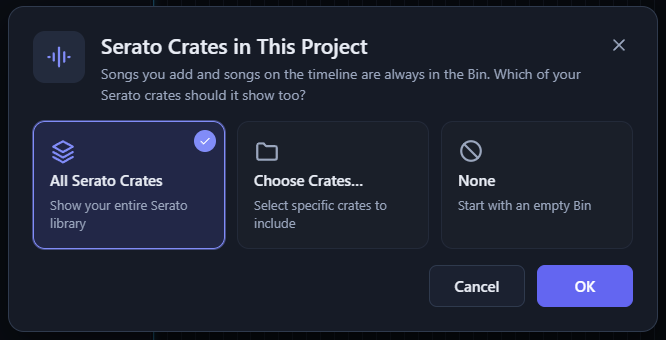
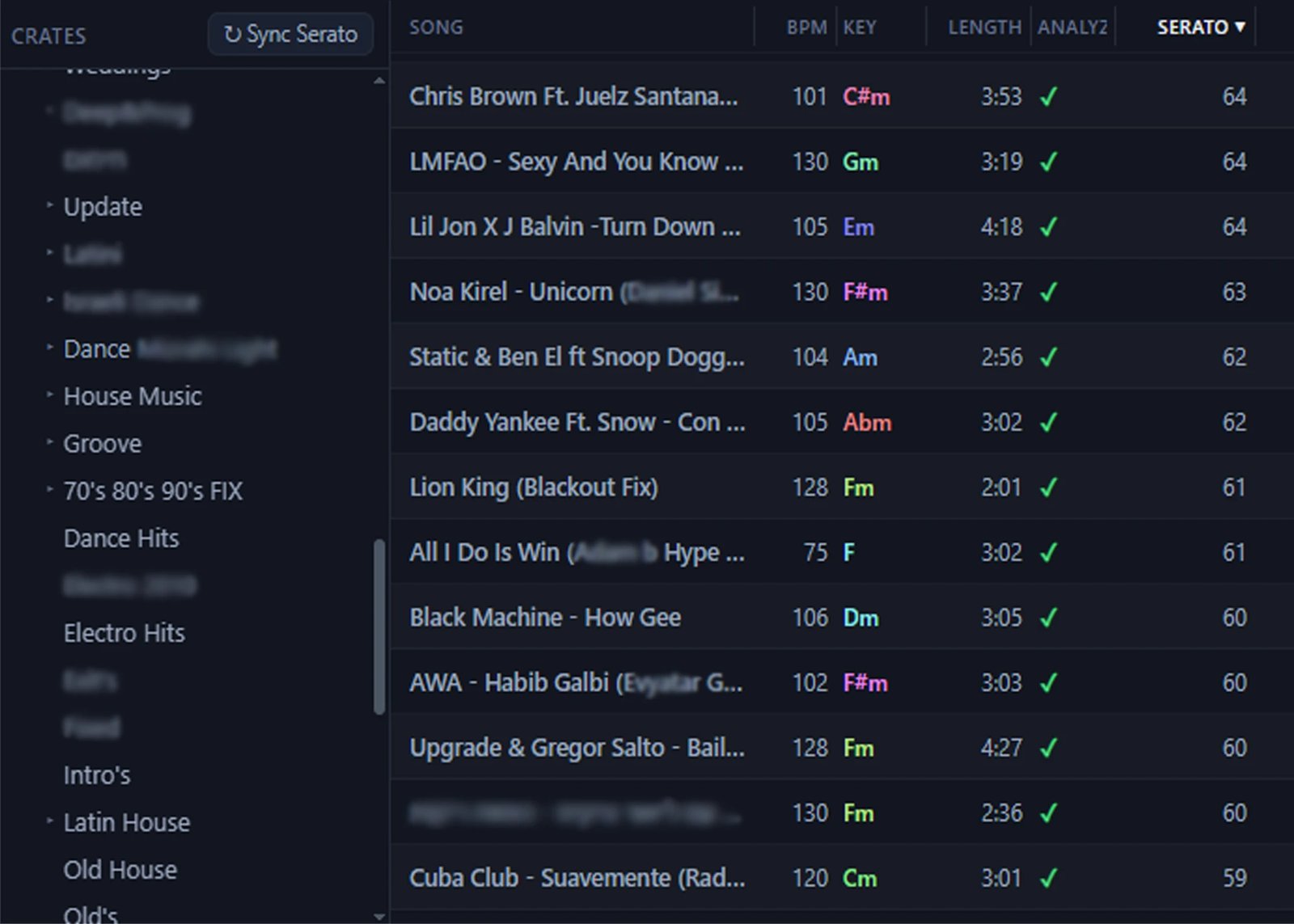
Serato itself is only read, never changed. DJ.Studio works with Serato too, so the question is which timeline you prefer once your music is in.
Working on your own computer
MixTape is a desktop app for Windows and macOS. Once it is activated (and the stems tool downloaded, if you use stems), you mix and export offline, with the music on your own drive. Setup needs the internet. DJ.Studio is a desktop app too.
What to check before switching
- Your computer. MixTape runs on Windows 10 or 11 (64-bit) and on Apple Silicon Macs with macOS 13 or later.
- Your library. Serato comes in one way. If you depend on Rekordbox today, DJ.Studio may suit you better for now.
- Your exports. MixTape exports MP3, WAV and FLAC. For video, look at DJ.Studio’s Ultimate license.
- Your projects. MixTape can’t open DJ.Studio projects. Keep your DJ.Studio projects, music and exported mixes until you are sure of the new workflow.
- A real mix. Build a short set with a few songs, a tempo change and an export. That tells you more than any feature list.
Coming from DJ.Studio? You do not have to relearn your hands. MixTape lets you assign your own keyboard shortcuts and save them as profiles. See how custom shortcuts work.
FAQ
Is MixTape a DJ.Studio alternative?
Yes. MixTape is a timeline DJ mixing app for Windows and Apple Silicon Macs. Like DJ.Studio, it arranges songs, refines transitions and exports finished mixes. The two differ in the computers they run on, their integrations, licensing and workflow.
Can you export a mix during the DJ.Studio free trial?
No. DJ.Studio’s help center says exporting needs a license: its 7-day trial lets you try mixing, but not export a finished mix.
Is MixTape free?
MixTape is free during the beta, and approved testers can export MP3, WAV and FLAC. Beta access is by registration and approval. Terms after the beta may differ.
Does DJ.Studio work with Serato?
Yes, DJ.Studio works with Serato libraries. MixTape also imports a Serato library: crates and subcrates in their order, beatgrids, cue points and play counts, with each song’s key and comments from its tags. It never writes anything back to Serato.
Does MixTape support Rekordbox?
Not yet. Rekordbox support is planned for MixTape. DJ.Studio already works with Rekordbox libraries.
Does MixTape run on Intel Macs?
No. MixTape runs on Apple Silicon Macs with macOS 13 or later, and on Windows 10 and 11 (64-bit). Support for Intel-based Macs is planned. DJ.Studio has both Intel and Apple Silicon versions.
Can MixTape open DJ.Studio or MixMeister projects?
MixTape can’t open DJ.Studio projects. It does open MixMeister 6 and 7 projects, as DJ.Studio does, and its import report shows what came over exactly, what was approximated and what was left out.
Does MixTape support stems?
Yes. MixTape separates songs into drums, bass, vocals and other on your own computer, and each stem has its own level on the timeline. DJ.Studio has stem separation too, in its Pro + Stems and Ultimate licenses and in its free trial. Controls and results differ between the two.
Can I make mashups with MixTape?
Yes. Timeline editing, transitions, effects and stems let you try mashups and creative combinations of songs.
Can I create my own effects in MixTape?
Yes. You can build your own effects, save them to reuse in any mix, and edit existing ones, instead of being limited to ready-made templates.
Can I use MixTape without an internet connection?
Yes, once it is activated (and the stems tool downloaded, if you use stems), MixTape mixes and exports offline with the music on your computer. Setup and your account need the internet.
Do I need a DJ controller?
No. MixTape is used with the mouse and keyboard: arrange songs, edit transitions and export without a controller.
Does MixTape export video?
No. MixTape exports audio: MP3, WAV and FLAC. DJ.Studio exports video with its Ultimate license.

Try a different timeline workflow
DJ.Studio is an established timeline DJ app, with integrations some workflows need. MixTape is another way to arrange songs, try transitions and mashups, and export finished mixes on Windows or Apple Silicon Macs. The right one is the one that fits how you work: build a real mix, and decide.
Free during the beta. Registration and approval required. Coming from MixMeister? See the MixMeister alternative.
MixTape is an independent product and is not affiliated with or endorsed by DJ.Studio. Product names and trademarks belong to their owners.