
MixTape Tutorials

Learn how to build professional DJ mixes, create seamless transitions, and unlock creative possibilities with MixTape.

Explore official video tutorials covering everything from creating your first DJ set to working with selective stems and advanced FX automation.

Getting Started

Getting Started · 4:43

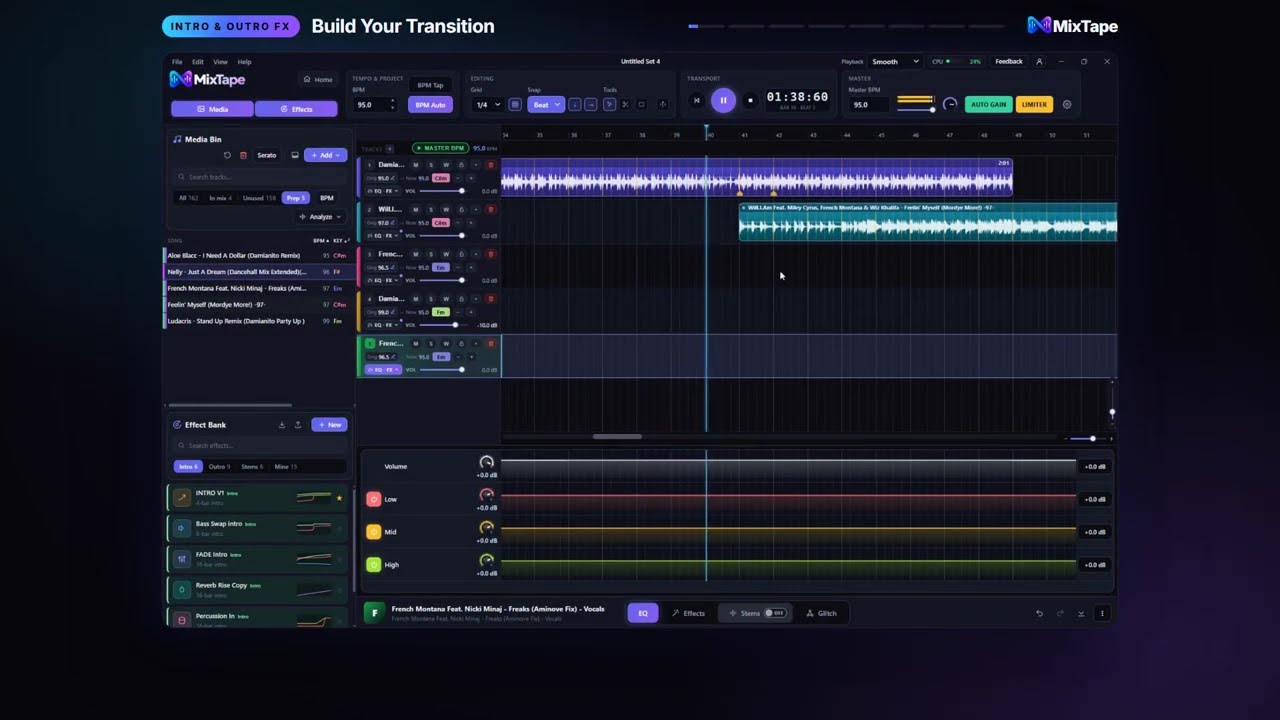
MixTape Tutorial: Your First DJ Mix

Build your first DJ mix in MixTape: start a project, bring in your Serato crates, place songs on their first kick, add Intro and Outro effects and ease the BPM.

  • Create a new MixTape project
  • Optionally bring in your tracks and crates from Serato DJ
  • Add tracks to the Media Bin
  • Place songs on the timeline
Watch Tutorial

Advanced Techniques

Advanced Techniques · 1:55

MixTape Tutorial: Selective Stems & Creative DJ Transitions

Separate stems from just part of a song, mute drums or bass where two songs overlap, move vocals to their own track and shape the transition with FX automation.

  • Prepare the outgoing song with an Outro effect
  • Separate stems from a selected stretch of a song, not the whole track
  • Mute the outgoing song’s drums and the incoming song’s bass
  • Drag a vocal stem onto a track of its own
Watch Tutorial

Quick Guides

One task, a few pictures, a minute to read.

Selective Stems in Three Steps

Separate vocals, drums, bass and other from only the bars where two songs meet, on your own computer, and mix them there while the rest of the song plays as it is.

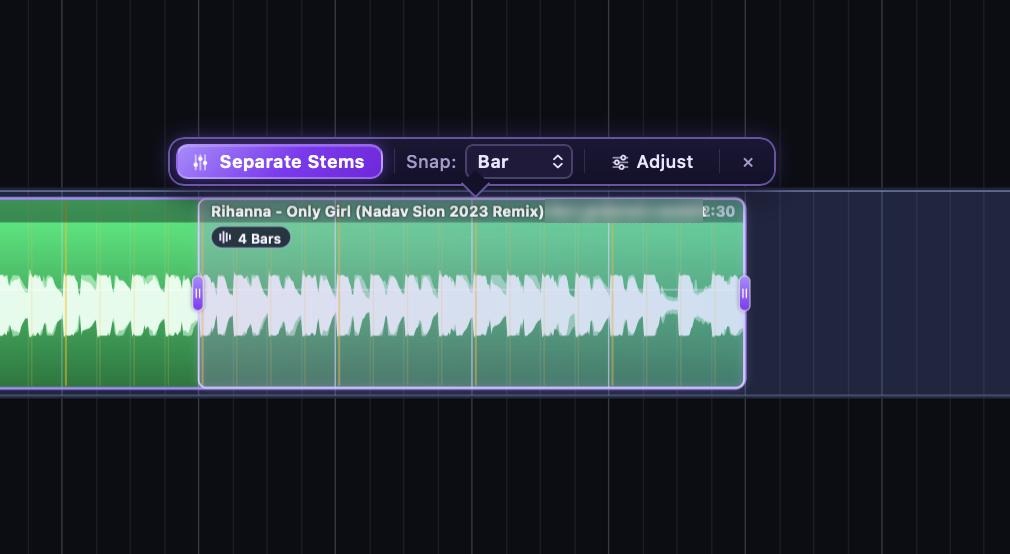
  1. A four-bar stretch of a song selected on the MixTape timeline, with the Separate Stems button above it
    Select. Hold Ctrl (Cmd on a Mac) and drag across the part of the song you need, then press Separate Stems.
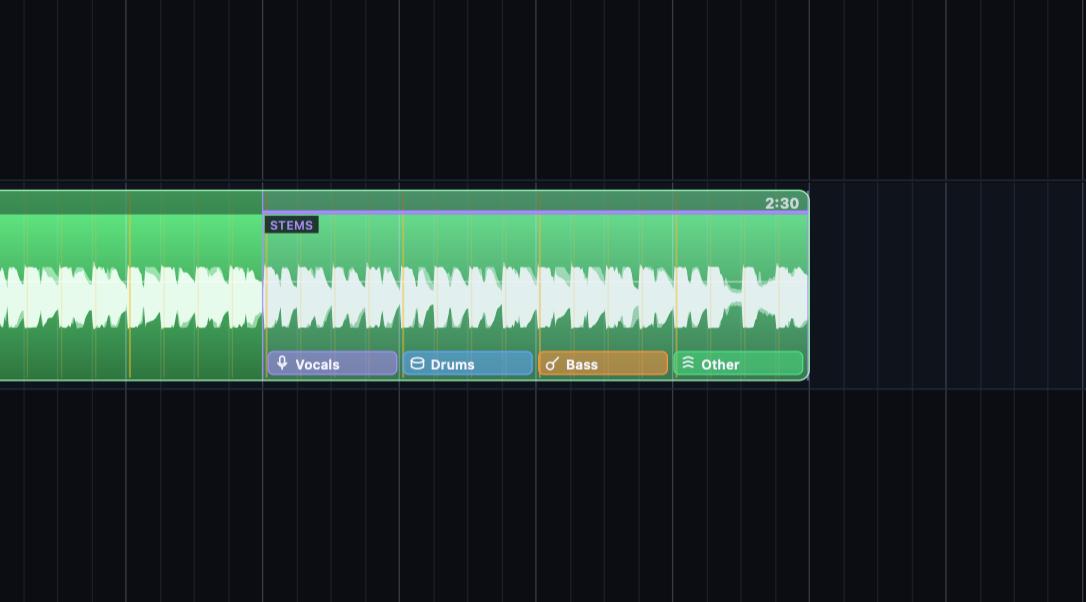
  2. A separated stretch of a song on the MixTape timeline, with its vocals, drums, bass and other as coloured blocks along the bottom of the clip
    Separate. Only that stretch is split into vocals, drums, bass and other, shown as blocks along the bottom of the clip. Drag a block onto another track to make it a clip of its own.
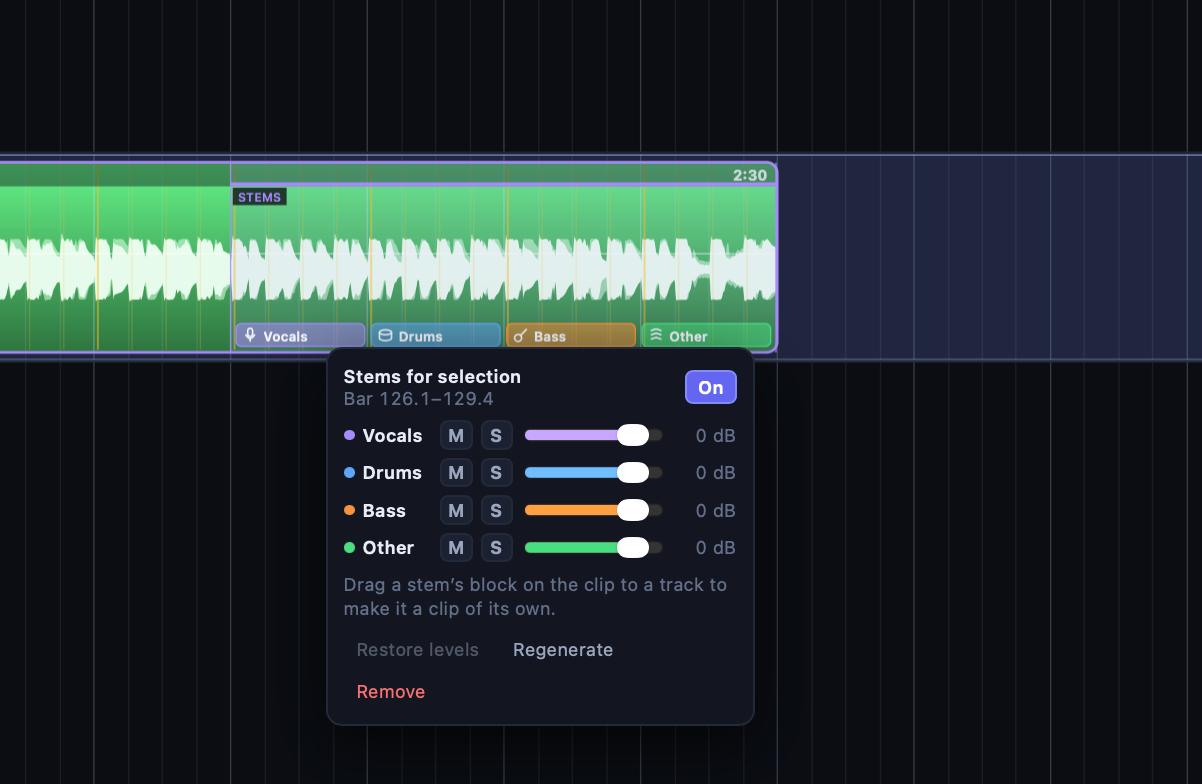
  3. The stem controls of a separated stretch in MixTape: mute, solo and a level for vocals, drums, bass and other
    Mix. Click a block to open the stretch’s stem controls: mute, solo or set the level of each stem, in that stretch only.

Watch the full video: Selective Stems & Creative Transitions →

Ready to Build Your Own Mix?

Put these techniques into practice with MixTape, the timeline DJ studio for Windows and Mac.

Get Early Access

Free during the beta. Registration and approval required.